
70 KiB
terebi
A personal native macOS player whose playback code is small enough to own and modify. FFmpeg reads and decodes media; our C++ worker owns local playback. SwiftUI owns the controls, Core Audio owns local audio output, and Metal presents local video. Chromecast owns remote playback.
Build and run
Requires macOS 15+, Xcode's command-line tools with Swift 6, Python 3.9+, and the build tools pkg-config, Meson and Ninja. Native Intel builds also require NASM:
The first build fetches pinned TOMLDecoder 0.4.5 through SwiftPM. It is statically linked into the CLI/player; running the installed app needs no separate TOML runtime. Its MIT notice is included in the app's Resources.
brew install pkg-config meson ninja
# Intel Macs: brew install nasm
make
make run
The developer app is .build/terebi.app; release builds produce .build/release/terebi.app. Both are self-contained for macOS 15+ on the build machine's CPU architecture. Copy the whole app to another compatible Mac; no Homebrew, FFmpeg installation, Python installation, yt-dlp installation, or shell PATH setup is needed to run it. Build natively on Apple Silicon or Intel; cross-architecture and Rosetta builds are rejected, and these are not universal or cross-platform binaries.
Dependencies.lock.json pins SHA256-verified FFmpeg 9.0.1, dav1d 1.5.4, liblzma 5.8.4, standalone yt-dlp 2026.08.19 and Deno 2.9.6 inputs. The first build downloads them into ignored .build/dependencies/<architecture>; later builds reuse completed preparations and verified downloads. FFmpeg is built as shared LGPL playback libraries, without programs, filters or unrelated autodetected packages. Cast delivery enables only the built-in AAC and VideoToolbox H.264 encoders and MPEG-TS muxer; dav1d supplies software AV1 and liblzma retains compressed-media support. Native HTTPS uses macOS SecureTransport, not an external OpenSSL installation. The repo carries recipes and checksums, not generated runtime binaries.
Open a local file with ⌘O, drop it onto the window, or use Finder's Open With. Successfully opened files start playback automatically, including when replacing the current file. ⇧⌘W closes the file; closing the window quits and joins the worker.
Release and installation
make release                         # optimized build in .build/release, without -g
make install                         # default PREFIX=$HOME/.local
make install PREFIX="/custom/path"   # optional installation prefix
export PATH="$HOME/.local/bin:$PATH"
terebi --help
Installation copies the complete app to ~/.local/lib/terebi/terebi.app; ~/.local/bin/terebi links to its Contents/MacOS/terebi-cli. A custom PREFIX uses the same lib/terebi and bin layout. The default needs no sudo. Release artifacts are separate from developer builds, and reinstall replaces only the installed app and obsolete standalone CLI from the previous layout. Close a running player and relaunch after installing an update.
The app contains its CLI, bootstrap, player library, all seven non-system playback dylibs, standalone yt-dlp with Python/EJS, and Deno. Library references are rewritten relative to the app before nested code and the app are signed; signing is ad-hoc by default for personal use, not notarization. Moving the app does not require rebuilding; update any external CLI symlink to its new location. Build/install still require the development tools listed above.
Both the CLI and the lightweight bootstrap preflight the five bundled FFmpeg libraries and their transitive dependencies. Missing, incompatible or broken libraries identify the damaged bundle and request rebuilding/reinstalling the complete app—not installing Homebrew packages. The CLI exits 69; Finder launches show a native error dialog instead of failing in dyld before the UI starts. Missing or invalid metadata also requests rebuild/reinstall. CLI help and default-config output remain available without the playback libraries.
Contents/Resources/licenses includes upstream notices, pinned provenance, native build flags and the dependency recipe; sources/native contains the exact unmodified FFmpeg/dav1d/liblzma archives. Shared libraries can be replaced with ABI-compatible modified versions; re-sign modified code and the app afterward. The standalone yt-dlp combined executable is GPLv3+, not solely the source project's Unlicense. Helper source archives and upstream Deno/V8 notices provide provenance, not a complete public-redistribution compliance or corresponding-source offer. This recipe is for personal use; public binary distribution requires auditing all bundled helper dependencies and applicable source obligations.
The declared app executable stays running after preflight and loads Contents/Frameworks/libterebi-player.dylib in-process. It does not exec another executable: LaunchServices retains the real app PID and identity, so third-party Now Playing source lists such as Vorssaint can discover it. Missing/unloadable player libraries or an invalid entry point also show the native rebuild/reinstall error dialog.
Command line
make also builds .build/terebi, a native CLI launcher:
.build/terebi "/path/to/video.mp4"
.build/terebi 'https://youtu.be/jNQXAC9IVRw'
.build/terebi --url 'https://www.youtube.com/watch?v=jNQXAC9IVRw'
.build/terebi -- -video.mp4
.build/terebi --new-instance
.build/terebi --new-instance --url 'https://www.youtube.com/watch?v=jNQXAC9IVRw'
.build/terebi --new-instance --url 'https://www.youtube.com/watch?v=jNQXAC9IVRw' --progress-file "/private/session/progress.jsonl"
.build/terebi --new-instance --no-config "/path/to/video.mp4"
.build/terebi --help
.build/terebi --default-config
One local file (including a local file:// URL) or YouTube video URL is accepted. Paths are relative to the shell's current directory; quote spaces and URL query strings. -- treats the following argument as a filename. With no arguments, the CLI opens or activates the player without replacing its media. Put --new-instance before the media arguments to launch a separate player process/window instead: it works without media, with a local file or positional YouTube URL, and with --url or --. Existing playback stays untouched. To use terebi by name, add the build directory to your shell's PATH: export PATH="$PWD/.build:$PATH".
The launcher locates its enclosing terebi.app through its actual executable path, following symlinks. By default, macOS application/URL delivery reuses a running player and its existing window. With --new-instance, one fresh application launch carries any media URL as a startup argument, so it reaches that process without a second app launch or changing another player's media. The CLI travels inside the app; .build/terebi is a convenience symlink. Media opens use the same autoplay and saved-progress behavior as the UI. Instances share saved progress, but configuration and control overrides belong to each session. Quit running players after installing an update.
Help and --default-config exit with status 0 without opening the GUI, reading configuration, or checking/loading FFmpeg. The latter prints complete built-in TOML to stdout, including every named key action and explicit [] entries for unbound actions; it uses the player's authoritative defaults rather than your current settings. It accepts no media argument and never creates or writes a config file. Invalid arguments, unsupported URLs, missing media files, and directories report to stderr and exit 64; unavailable FFmpeg libraries and application-launch failures exit 69; unreadable or invalid configuration exits 78 with the file path and diagnostic. A successful launch exits 0 immediately after macOS accepts the request, not when playback finishes. Later extraction/decoding failures appear in the player window; this is a GUI launcher, not a headless player or remote playback-control interface.
Reporting destination preflight failures exit 73 without launching. The GUI still creates the file atomically and reports initialization failures with a native alert; those can occur after the launcher has returned successfully.
Configuration
Every fresh app startup automatically reads $XDG_CONFIG_HOME/terebi/config.toml, falling back to ~/.config/terebi/config.toml when XDG_CONFIG_HOME is unset, empty, or not absolute. The CLI forwards its resolved path because Finder/LaunchServices does not inherit the shell's XDG environment. Set XDG_CONFIG_HOME in the GUI launch environment if Finder should use a different directory.
The file is optional: a missing file means built-in defaults, and terebi never creates a file or directory on its own. The complete built-in configuration is:
[playback]
automatic_quality = false

[ui]
buffer_info = false
compact_snap_to_edges = true
compact_title_progress = "time"

[keys]
play = ["k", "space"]
pause = ["k", "space"]
mute = "m"
unmute = "m"
volume_up = "up"
volume_down = "down"
seek_forward_5s = "right"
seek_backward_5s = "left"
seek_forward_10s = "l"
seek_backward_10s = "j"
step_frame_forward = "."
step_frame_backward = ","
enter_fullscreen = ["f", "ctrl+cmd+f"]
exit_fullscreen = ["f", "ctrl+cmd+f", "escape"]
enter_compact = ["p", "ctrl+cmd+p"]
exit_compact = ["p", "ctrl+cmd+p"]
enable_always_on_top = "shift+p"
disable_always_on_top = "shift+p"
open_file = ["o", "cmd+o"]
open_youtube = "cmd+shift+o"
close_file = "cmd+shift+w"
quit = ["q", "cmd+q"]
show_buffer_info = []
hide_buffer_info = []
enable_compact_snapping = []
disable_compact_snapping = []
enable_automatic_quality = []
disable_automatic_quality = []
quality_default = []
All settings belong to [playback], [ui], or [keys]; these sections can appear in any order. Omitted sections use built-in defaults. An assignment belongs to its current TOML section, so place automatic_quality beneath [playback], not at the root or under another header.
Omitted settings/actions retain their defaults. A shortcut string or string array replaces an action's default bindings; [] unbinds it. Keys are case-insensitive logical keys, not physical key positions. Use exact modifiers cmd, ctrl, alt/option, and shift, joined with +; uppercase P alone does not mean Shift+P. Named keys are space, escape, return, tab, backspace, delete, left, right, up, down, home, end, pageup, pagedown, plus, and f1–f35; printable characters such as , and . also work. OS-reserved Cmd+Tab is rejected.
Bindings name explicit actions, not toggles. The same chord may be shared only by inverse pairs shown above: play/pause, mute/unmute, enter/exit fullscreen or compact, enable/disable always-on-top, show/hide buffer info, and enable/disable snapping or automatic quality. A press performs one currently applicable action, including pending playback/window intent; already-satisfied actions do nothing. Give each side different chords for dedicated enable/disable keys. Sharing a chord between unrelated actions, duplicate normalized chords, unknown actions, and malformed shortcuts are errors.
For YouTube, bind quality_<height>p (for example, quality_2160p = "ctrl+4") to select an available resolution, or quality_default to restore the capped default. Resolution actions are unavailable for local media and absent resolutions; selecting manual/default quality disables automatic quality. YouTube captions and caption key actions are not implemented; resolved-source VTT selection uses the captions menu. Caption and toggle_* action names are rejected.
Behavior/UI switches must be TOML booleans; [ui].compact_title_progress is a string: "time" (default), "percentage", or "none". Unknown keys, unsupported values, malformed TOML, wrong types, unreadable files, and a directory in place of the file are errors, not silent defaults. Top-level automatic_quality is no longer accepted: move it under [playback]. The old flat show_buffer_info and snap_to_edges settings are also rejected: move them to [ui] as buffer_info and compact_snap_to_edges. GUI startup errors show a native alert. Settings are read once at startup; control/menu changes are session-only and never write the file. Edit it yourself and start a fresh player to apply changes.
Put --no-config before the media arguments to skip reading the file entirely and use built-in settings. Combine it with --new-instance in either order to guarantee a fresh session. Reusing a running player neither reloads its file nor resets its current settings, even with --no-config. Playback history and remembered compact width remain separate in UserDefaults and are not reset by --no-config; legacy UserDefaults configuration settings are no longer read or written.
YouTube
The app bundles yt-dlp, its EJS components, Python/default dependencies, and Deno. YouTube playback does not search Homebrew or fall back to external PATH executables; a missing bundled helper reports a damaged installation.
Use ⇧⌘O → Open YouTube URL…, the playback-actions menu, or drop a YouTube video link onto the window. Watch, short-link, Shorts, live, and embed URLs identify one video; playlists and channels are not opened. Resolution is cancellable by closing or replacing the media.
yt-dlp defaults to the highest available SDR resolution at or below 1080p, falling down to a lower resolution when 1080p is unavailable, with the best available audio. FFmpeg plays the selected HTTP(S) streams or native HLS manifests directly, including separate video/audio inputs or a combined stream: no embedded browser, temporary full-video download, or muxing step. Playback, coordinated seeking, frame stepping, volume, and same-window compact mode use the existing native player. Buffering… freezes the playback clock without disabling pause, close, or replacement; live/non-seekable inputs disable seeking and frame stepping, and live sources show LIVE.
Seekable network playback targets 60 seconds ahead and 30 seconds behind using retained compressed audio/video packets, with a shared 128 MiB byte budget. Time targets are best-effort: bandwidth, bitrate, packet/keyframe layout, source availability, and byte pressure can shorten the window. Playback starts promptly and read-ahead continues in the background, including while paused. Cached seeks replay from the preceding usable keyframe without a new HTTP request; seeks outside the retained window refill normally. This is an in-memory sliding cache, not a full-video download or persistent disk cache.
Recorded direct HTTP inputs use FFmpeg 9's 10 MiB bounded range requests, continuing sequentially and reusing persistent connections when the server permits. This avoids the open-ended-request throttling seen on some YouTube CDNs; URL extraction alone does not apply yt-dlp's download chunking. Native request_size and multiple_requests handle continuation without a separate downloader. Large short_seek_size read-ahead stays disabled: an uncached seek must escape a stalled response, not wait to drain it. Required headers, fifteen-second I/O deadlines, cache limits, and cancellation remain intact. Live sources keep their existing transport behavior. This removes avoidable request-level throttling, not bandwidth/CDN limits: a minute is a target, not a startup requirement or guaranteed reserve.
Recorded, range-seekable HTTP(S) inputs automatically reconnect after interrupted reads, resuming at the same byte offset without reopening media or discarding retained packets. FFmpeg caps reconnect attempts and backoff; the reader's fifteen-second total I/O deadline still applies, with a five-second socket timeout leaving room for recovery. Position, playing/paused intent and selected headers remain unchanged. Seek, replacement, close and quit can interrupt retries. Genuine EOF is not retried; live/non-range streams are not restarted. Persistent failures still surface an error. Expired signed URLs are not automatically refreshed.
gear → Show Buffer Info enables the optional bottom readout in both player modes; it is disabled by default, configurable with [ui].buffer_info, and its menu toggle is session-only. When enabled, actual retained times appear as Buffer: −30s +60s (compact mode omits the prefix). Negative time is reusable history, positive time is playable reserve ahead—not desired targets or percentages downloaded. The normal seek bar shades the retained interval on both sides of the playhead regardless of this preference; its tooltip and VoiceOver retain fractional seconds and the buffered-through timestamp. Buffer: — means no estimate is available, including during pending seeks or for live/unknown-duration media; local playback displays no network indicator. Hiding the readout does not affect caching or automatic quality. Quality/source changes and close discard the old cache; cached seeks preserve it. Required audio and video constrain the reported range.
While playing YouTube, choose gear → Quality in either normal or compact mode. The dropdown lists the video's supported SDR resolutions, including 1440p/4K when available, and shows the current resolution. Default (up to 1080p) restores the cap. Switching resolves fresh stream URLs and briefly pauses while reopening, preserving the position for seekable recorded videos, play/pause state, and the same window, size, and mode. An extraction failure leaves the previous stream selected and restores its playback state. Live/non-seekable streams reopen without position restoration. New video opens use the default again; manual quality choices are not persisted.
gear → Quality → Automatic Quality (up to 1080p) is disabled by default, configurable with [playback].automatic_quality, and its menu toggle is session-only. Choosing any manual/default resolution, even the current one, disables it for that session. Auto moves down one available rung after reserve stays below four seconds for six seconds or playback stalls for three seconds. It moves up one rung after at least twenty seconds of reserve remains healthy for sixty seconds, never above 1080p; live/unknown reserve uses 120 seconds of stable playback instead. Switches have a thirty-second cooldown. Paused/opening/seeking media and the final fifteen seconds of a recorded video do not trigger changes. Failed automatic extraction leaves the previous playback running and backs off for 120 seconds. The old stream continues while automatic URLs resolve; applying a new quality still briefly reopens the stream, preserving the latest seekable position and play state rather than providing a seamless segment-level switch.
The app ignores yt-dlp configuration and plugins, does not read browser cookies, and does not update or fetch extractor components automatically. Private, age-restricted, region-blocked, or sign-in-required videos can fail. If YouTube extraction changes, update the pinned helper versions/checksums and rebuild/reinstall terebi; upgrading an external Homebrew yt-dlp does not change the bundled extractor.
Resolved HLS sources (Miruro / Tubular)
Tubular integration handoff: launch contract, progress schema and verification evidence.
Tubular owns discovery, episode/provider selection and fresh source resolution. Terebi accepts a resolved source document; it does not scrape Miruro, embed strm.cx, refresh expired sources or bypass protection.
terebi --new-instance --source-file '/private/session/source.json' \
  --progress-file '/private/session/progress.jsonl'
--source-file requires --new-instance and accepts a filesystem path (relative paths resolve against the shell's directory). The CLI validates the document, then forwards its absolute path to the GUI; only paths, not stream URLs or header values, enter launch arguments. Create the session directory with mode 0700 and the source file with mode 0600. Keep the file unchanged and present for the entire player session; launcher success does not acknowledge that the GUI has read it. The caller owns cleanup.
Source document syntax (replace example URLs with freshly resolved resources):
{
  "version": 1,
  "url": "https://cdn.example/master.m3u8?token=fresh",
  "headers": {"Origin": "https://ultracloud.cc", "Referer": "https://ultracloud.cc/"},
  "identity": {"provider": "miruro", "media_id": "OERe_a0YS4h-DlsBDOeXwX7HOO6316tw", "episode": 1},
  "title": "The Apothecary Diaries — episode 1",
  "subtitles": [{
    "url": "https://cdn.example/english.jpeg?token=fresh",
    "format": "vtt",
    "language": "en",
    "label": "English",
    "default": true,
    "headers": {"Origin": "https://ultracloud.cc", "Referer": "https://ultracloud.cc/"}
  }]
}
All fields except title are required; subtitles: [] and headers: {} are valid. Subtitle headers never inherit stream headers: Tubular must explicitly supply the appropriate map for each resource. Values are preserved without trimming; invalid HTTP names, duplicate case-insensitive names and control characters are rejected. Documents are limited to 1 MiB, 32 subtitle tracks and 64 headers per resource. Miruro IDs are nonempty ASCII letters/digits/-/_ (up to 512 bytes); episode numbers are integers from 1 through 2147483647.
Native FFmpeg plays the master and nested playlists, media segments, AES-128 keys and fMP4 init resources with the stream's headers. Relative URLs use native HLS resolution; supplied URLs and query tokens are retained, not synthesized onto unrelated references. Resolved media resources must remain on the initial stream's origin (scheme, host and effective port). All media redirects, including same-origin redirects, are rejected before a second request; this deliberately prevents FFmpeg from forwarding private headers to an unrelated destination. YouTube keeps its existing transport policy.
Sun can serve MPEG-TS segments as .jpg/image/jpeg. Resolved HLS uses content probing instead of FFmpeg's filename-extension gate; URLs are not rewritten. The HTTP(S)-only, same-origin and no-redirect restrictions still apply.
External subtitles use explicit format: "vtt" plus WebVTT content, never the filename extension or MIME type. The captions menu shows labels/languages, selects the declared default and permits Off/another track. Plain-text cues follow acknowledged playback position, including backward/forward seeks; WebVTT positioning, CSS and typographic styling are not applied. Subtitle loading is bounded to 4 MiB with 15-second request/20-second resource timeouts. Same-origin subtitle redirects retain that resource's headers; cross-origin redirects are rejected. Load errors appear beside the captions menu, independently of media errors.
FFmpeg diagnostics omit private detail strings; playback failures still expose the operation and native error. Source/subtitle validation and transport errors do not interpolate supplied URLs or header values.
Miruro's progress identity is independent of its source address. YouTube records stay version 1; Miruro records use version 2:
{"version":2,"event":"progress","media_identity":{"provider":"miruro","media_id":"OERe_a0YS4h-DlsBDOeXwX7HOO6316tw","episode":1},"position_seconds":123.5,"duration_seconds":1500.0,"completion_eligible":true}
Events, acknowledged-position reporting, nullable duration and completion eligibility retain the semantics below. Miruro bookmarks use the same stable episode identity. Tubular coordination required: its current src/video_state.rs accepts only canonical YouTube/version-1 records; it must adopt this version-2 identity before Miruro watched tracking works. This is the implemented Terebi contract, not a claim that Tubular has already adopted it.
make check-subtitles, make check-resolved and make check-network use deterministic local VTT/HLS fixtures; make check-startup exercises the actual CLI-to-GUI handoff. Public-provider live playback is never part of the default suite; Cast's rolling-window check uses generated media and an injected pacing clock. With a private, freshly resolved source document, explicitly run .build/resolved-playback-check /absolute/source.json for native video/audio and subtitle/seek smoke. Visual rendering and perceived synchronization still require a visible-app check.
Verification recorded for the direct ssub/sun source: a freshly resolved native stream decoded video/audio and advanced, selected English VTT, and matched the model's subtitle text to the expected cues after forward/backward acknowledged seeks. Local encrypted MPEG-TS and fMP4 fixtures also verified disguised image suffixes, headers on master/variant/segment/key/init requests, query preservation, foreign-origin/redirect isolation and redacted errors. TEREBI_CHECK_RESOLVED_ONLY=1 make check-startup passed actual CLI launch into two independent GUI episodes, resource-specific subtitle headers and version-2 reports. CLI, subtitle, progress, reporting, YouTube resolver and system-playback checks passed.
The full make check-startup rerun passed, including held-key suppression, YouTube progress/end transitions and independent Miruro launches. Earlier runs failed held-Space and YouTube end-transition assertions; possible manual interaction was reported, but causality is not established. The rerun required no playback-code changes. Visual subtitle appearance and perceived A/V synchronization remain human verification, and Tubular's version-2 consumer change remains external coordination.
Chromecast
Open media, then choose the Cast icon (the Apple TV/AirPlay-style screen-and-triangle symbol) between pin and settings in the top-right titlebar container, or between exit compact mode and settings in compact controls, or Playback → Cast to Device → Find Cast Devices…. Allow macOS Local Network access, then select a discovered Chromecast/Cast-enabled TV on the same LAN. The icon does not add AirPlay support. No Chrome, hosted custom receiver, Google developer registration, or external casting runtime is required.
The Cast icon uses 15 points in the titlebar and 17 points in compact controls, within the same 24 × 22-point button frame.
Terebi pauses local output before transferring the acknowledged position and play/pause intent to Google's Default Media Receiver. The existing controls, keyboard shortcuts and macOS media commands control remote playback, seeking, volume/mute and resolved-source subtitles. Play on This Mac restores receiver-confirmed position and intent; local volume is preserved independently. Connection/load failures return to local playback with an error. Opening another source ends casting and opens it locally. Frame stepping and YouTube quality changes are local-only; automatic quality is suspended while casting.
TLS connection establishment has a twelve-second deadline; cold receiver launch has a separate thirty-second deadline and accepts validated asynchronous readiness without waiting for the original launch acknowledgement. Volume controls retain the latest requested value until its acknowledgement, ignore older feedback, and do not reposition the native slider during a drag. External TV volume changes still update idle controls.
The Mac serves session-only capability URLs over HTTP. Keep it awake and connected, and allow incoming connections through its firewall. The relay exposes only the chosen media and subtitle resources, never arbitrary filesystem paths or a general URL proxy. Disconnect, replacement and quit cancel delivery and invalidate the listening endpoint.
Local files, resolved Miruro HLS and YouTube's combined/separate video/audio inputs are delivered as six-second HLS segments. Compatible, independently decodable H.264/AAC is remuxed; other supported inputs use VideoToolbox H.264 (including its platform software fallback) and stereo AAC. Output targets at most 1920×1080 at 30 fps, H.264 Main/High level 4.1 or lower, with preserved display aspect ratio. Recorded segments are generated on demand, including distant seeks; there is no full-movie download or preprocessing step. Live output keeps eight segments (about 48 seconds) and is not seekable. Audio-only sources are supported.
Recorded network delivery uses the native player's bounded compressed-packet buffer: up to 128 MiB shared between inputs, targeting sixty seconds ahead and thirty seconds behind (byte pressure can shorten retention). Combined HLS supplies video/audio from one selected-stream reader; unused quality variants are disabled. Sequential and nearby seeks reuse packets, including decoder/AAC preroll; true cache misses seek upstream once. Nearby forward requests wait for existing read-ahead instead of cancelling and restarting its fetch. Eight completed output segments are also cached (at most 256 MiB), so repeated, HEAD and range requests reuse encoded bytes. Uncached generation is serialized; GOP preroll, transcoding, provider slowness and receiver buffering can still delay a fresh Cast seek.
Miruro retains its HTTP(S)-only, same-origin media and no-redirect policy. Public YouTube HLS can cross CDN origins, but supplied headers never follow it to another origin. All Cast media redirects are rejected. WebVTT is fetched with each track's own headers and the existing bounded, same-origin subtitle redirect policy, then served with CORS. Private upstream addresses and headers are not sent to the receiver or included in errors.
The Cast channel accepts the selected receiver's self-signed TLS certificate: encryption on a trusted LAN, not Google device authentication or public-CA receiver identity verification. Discovery and receiver control trust the selected LAN endpoint. Native media decoding has a 4096×2160-pixel budget, individual FFmpeg allocations are capped at 128 MiB after Cast initialization, and each outgoing segment is capped at 32 MiB. Recorded inputs longer than fourteen days are rejected.
make check-cast exercises a real self-signed TLS loopback receiver, decoded relay output for all three source paths, header/origin isolation, recorded seeking, VOD/live audio continuity, anamorphic video, capability expiry, controlled protocol deadlines/live pacing, and complete player handoff/back-to-Mac recovery. Regression checks cover slow/asynchronous launch, stale volume feedback, native slider tracking and split-stream seek work: repeated segments add no upstream requests, and indexed distant/adjacent seeks add no origin-zero reprobes. A production-paced live HLS smoke also decoded A/V across a segment boundary and shut down. YouTube Cast playback has been observed on a physical receiver; these fixes, receiver captions and perceived A/V synchronization still need human verification.
Authenticated multi-variant HLS regressions gate upstream responses and verify no unused-quality downloads or duplicate retained-media reads, nearby rewinds, distant cache misses, decoded A/V positions and AAC continuity, and cancellation while upstream remains blocked. Native network playback checks cover the shared reader's existing callers.
Resume playback
Reopening a local video, YouTube video or resolved Miruro episode automatically resumes its saved position, including after quitting and relaunching the app. Local files use their resolved file paths; YouTube uses the canonical video webpage URL; Miruro uses its opaque media ID and episode number. Newly resolved addresses therefore share progress without saving CDN tokens as identity. The app does not automatically reopen the last video on launch.
Progress is stored locally in UserDefaults, checkpointed every five seconds of playback progress, and saved on pause, close, replacement, and normal quit. Only authoritative, acknowledged positions are saved—not an unfinished seek or slider drag. Finished videos clear their bookmark and reopen from the beginning; a bookmark beyond the current video's duration also restarts at the beginning. Failed opens preserve existing bookmarks. Live/non-seekable inputs and audio-only media do not record progress.
Each video's bookmark has its own UserDefaults key, so separate player processes cannot erase unrelated bookmarks by rewriting a cached history dictionary. Existing bookmarks migrate automatically from the old dictionary. If two instances play the same video, the most recent checkpoint wins; progress is shared, not a separate bookmark per window.
Playback progress reporting
Opt in per player session with --progress-file PATH, which requires --new-instance. The option may follow --url URL; relative report paths resolve against the invoking shell's directory before being forwarded to the GUI. Reporting is disabled without the option and is not a config.toml setting.
Create a unique private directory and supply a nonexistent file:
session=$(mktemp -d /tmp/terebi-progress.XXXXXX)
terebi --new-instance --url 'https://www.youtube.com/watch?v=jNQXAC9IVRw' \
  --progress-file "$session/progress.jsonl"
The shared C++ backend owns reporting inside the GUI process, independent of the launcher and UserDefaults. It exclusively creates a regular file with owner-only read/write permissions (0600), rejecting existing destinations and symlinks. Parent directories must already exist; the caller owns directory/file cleanup. Concurrent players cannot claim the same destination.
Each complete YouTube line is a version-1 JSON record (resolved Miruro sources use the version-2 identity documented above):
{"version":1,"event":"progress","media_url":"https://www.youtube.com/watch?v=jNQXAC9IVRw","position_seconds":123.5,"duration_seconds":200.0,"completion_eligible":true}
event is progress, ended, or closed. Identity is the canonical YouTube webpage URL, never the extracted stream URL. Position is finite, nonnegative native playback state; duration is positive and finite or null. Eligibility is false for live/non-seekable inputs, unknown duration, and audio-only media.
The backend reports initial ready state after acknowledging restoration, approximately every five seconds while playing, promptly at the first eligible 95% crossing, on acknowledged pause/seek/frame-step transitions, and at native end, replacement, close, and normal quit. Pending seeks and slider previews are not actual positions. Quality reopenings preserve identity and do not produce closed; local-media replacement closes the outgoing YouTube identity and produces no local-media records. Failed or cancelled opens never report the requested video's progress.
Writes are serialized on a separate thread; normal shutdown drains complete records. Write failure disables reporting and surfaces a separate warning without stopping playback. Consumers must tolerate duplicates, incomplete trailing lines, and abrupt termination; a closed record is not guaranteed.
Terebi reports facts, not watched status. A consumer such as Tubular decides completion using completion_eligible && duration_seconds > 0 && position_seconds / duration_seconds >= 0.95, for the matching video identity. This is a position threshold, not viewing coverage: seeking near the end counts. Window closure or successful launcher exit alone does not.
Playback UI
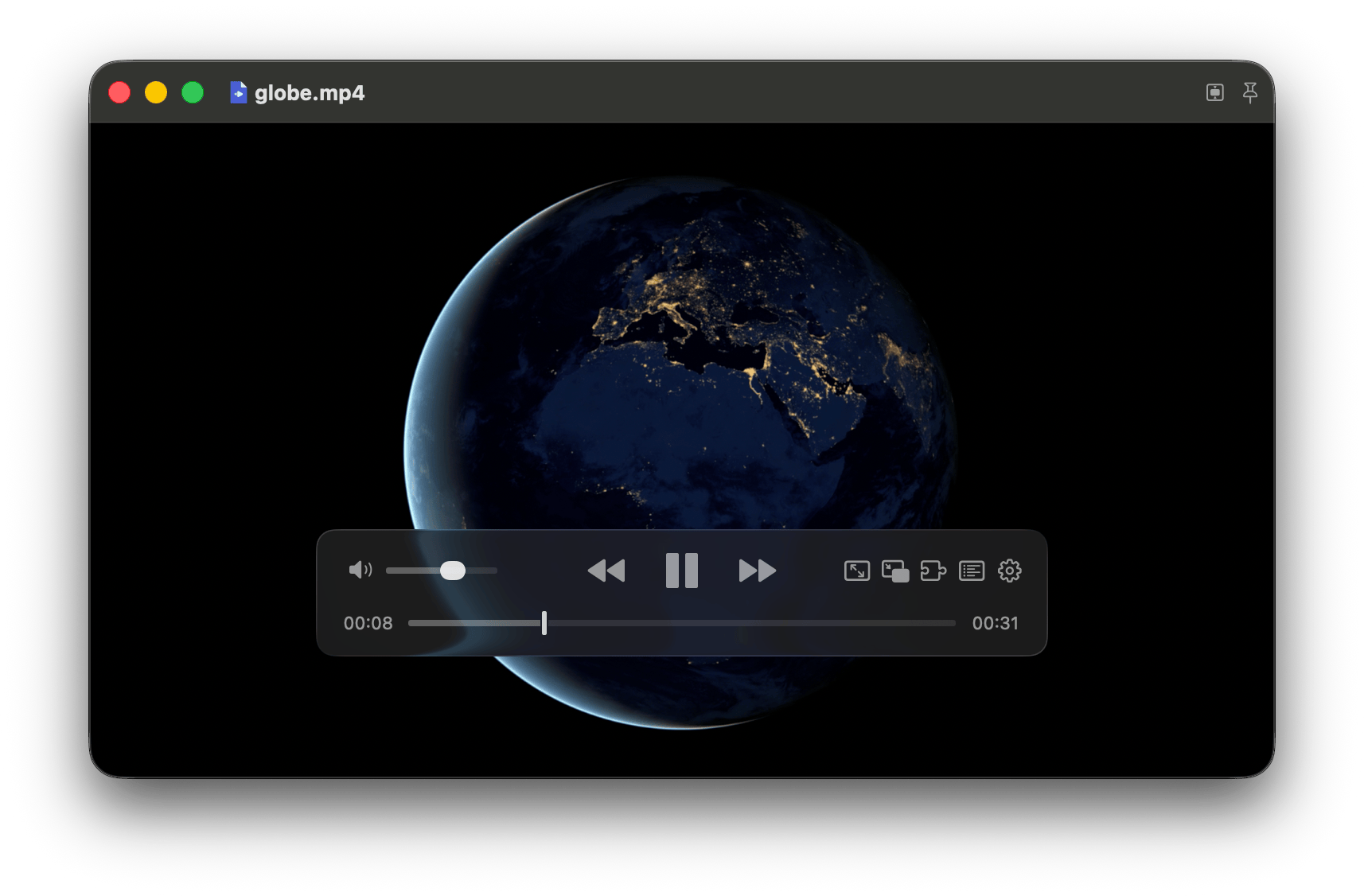
The layout follows IINA's video-first window and the supplied screenshots: a 32-point transparent titlebar with native traffic lights and file icon, plus a frosted 440 × 68-point floating controller. Conjure-inspired Sunset styling uses translucent dark-brown glass, warm cream primary text, sand secondary text, and a fixed orange accent for the volume fill, active pin, and drop target. Native slider thumbs and buffered ranges share the palette; warning symbols retain their semantic yellow. Shared vertical padding and an optical offset for symbol/slider insets balance the controller's visible top and bottom margins in both play and pause states. The controller starts centered with a four-percent bottom inset and keeps its relative position when the window changes size.
The empty player uses the same tinted HUD-glass material, faint warm outlines, 12-point rounded corners, and Sunset palette in a centered welcome card. File and YouTube opening actions are separate, equally sized buttons with a 10-point gap, subtle orange fills, and matching half-point sand outlines. The YouTube button toggles an outlined inline URL field below the buttons, spanning their combined width including the gap. Its placeholder uses the secondary sand text color at 60% opacity to distinguish it from entered text. Showing it focuses the field; hiding it releases text-input focus and preserves the draft. The field fades in and out without a slide while the card adjusts over 220 ms with ease-in/out timing; Reduce Motion disables the animation. Return or the arrow button submits through the existing YouTube URL validation. Other URL-opening entry points retain their dialog. The card fits the minimum window, and the full window still accepts media-file and YouTube-link drops.
The inline URL field, including its placeholder, uses the same 12-point system font as the drop hint below it. Its height follows the content with 4-point vertical padding rather than matching the taller opening buttons; the submit arrow retains its 24-point click target.
With no media open or while casting, the full window uses native behind-window HUD glass with a 35%-opaque brown tint. Static, cached amber/rust radial gradients add ambient color to the empty and casting screens; they disappear during loading or errors, and are never drawn over local video or playback chrome. Glass title/control/error surfaces use the same brown tint with half-point sand outlines. Decorative drawing does not intercept input. The idle or casting Metal surface stays attached but hidden; local playback retains a solid black background and letterboxing without tinting the video. Closing media or starting casting restores the frosted background. macOS controls the material’s appearance, including Reduce Transparency.
In normal mode, the right-hand playback control group is captions, then compact mode. The captions selector is omitted when no external subtitle tracks are available, without reserving a caption slot. Its native symbol uses a 13-point configuration within a 24-point click target. The native pull-down menu includes a visible Off option and prefers opening above the button; AppKit can reposition it to fit the screen. In compact mode, subtitle selection and Off are available through the settings button's Subtitles submenu; the compact cog uses a 21-point symbol to balance the adjacent icons. The settings menu uses a plain button style so its symbol respects that size and inherits the same cream icon color as the other controls, rather than the orange accent tint. Subtitle glass hugs the text with 16-point horizontal and 12-point vertical internal padding, with the complete container capped at 80% of the window width; longer text wraps within that limit. Its HUD-glass background uses 60% opacity without dimming the text. Visible compact controls raise subtitles by the actual compact control height plus spacing, rather than the normal controller's clearance. Subtitle-load errors remain visible independently of auto-hidden controls.
Accepted relative seeks, including keyboard shortcuts, preserve control visibility instead of revealing hidden chrome. Seek failures still reveal the error; dragging the timeline continues to show the controls.
Normal and compact titlebars have no full-width glass strip or separator: content extends beneath AppKit’s transparent titlebar using fullSizeContentView, titlebarAppearsTransparent, and titlebarSeparatorStyle = .none. Titles retain their rounded HUD-glass backdrop. In normal mode, pin, Cast, and settings share a separate container matching the title's 24-point height, horizontal padding, vertical inset, tint, outline and corner radius. Cast sits between pin and settings; all three retain 24-point click targets. That button container is not shown in compact mode; only the compact title and adjacent progress occupy the top row with 8-point outer insets. Native traffic lights and window dragging are preserved.
Compact titles default to <title> · <position> / <duration> <unit>, using acknowledged playback position rather than slider previews. Total duration selects the format: below one minute, 12 / 45 s; from one minute to below one hour, 05:12 / 42:08 m; from one hour onward, 01:23 / 02:10 h. Values truncate to the displayed precision. Set [ui].compact_title_progress = "percentage" to append only a whole percentage number (<title> · 59, without a percent sign), or "none" for title-only display. Percentages truncate and stay within 0–100. Loading, failed, live, unknown-duration and closed media have no progress suffix. Normal-mode titles remain unchanged.
Opening video fits the window to its display aspect ratio, including non-square pixels, and constrains subsequent window resizing. Fullscreen retains the normal letterboxed renderer; audio-only playback and close release the aspect constraint. Extreme ratios that cannot fit both the screen and usable controls keep a freely resizable letterboxed window.
Compact mode uses the same window, Metal view, and playback session—not a second window or macOS system PiP. Use the PiP-shaped button in the normal playback controls, ⌃⌘P, or Playback Actions → Enter Compact Mode. The compact-mode button replaces the fullscreen button; fullscreen remains available through its menu, keyboard shortcuts, and double-clicking normal-mode video. Compact mode starts at the current screen's top-right corner with a 16-point inset and the last manually chosen compact width (320 points before any resize). The width persists across mode changes and player restarts; height follows the current video's display aspect where usable screen bounds and the 160 × 90-point minimum allow, with extreme ratios retaining letterboxing. Normal-mode resize, transition animations, and automatic aspect/screen fitting do not overwrite the saved preference. Screen fitting may temporarily reduce the displayed size without reducing the saved width. Compact mode floats above ordinary windows, joins all Spaces, and is configured to join eligible other-app fullscreen spaces and Stage Manager sets. Its three-button hover row is play/pause, restore, then settings on the right. Settings includes subtitle selection and Off; keyboard playback controls remain available.
Compact-mode shortcuts and menu actions remain available during YouTube URL resolution, media opening, and network buffering. While metadata is unavailable, the window uses a provisional video ratio; decoded metadata then updates its geometry without leaving compact mode.
Entry and restoration animate the same window's position and size over 250 ms with ease-in/ease-out timing while normal and compact controls cross-fade; playback and the Metal view stay in place. macOS Reduce Motion disables both animations. Rapid toggles keep the latest destination and finish the current native frame animation before changing direction; native fullscreen transitions are also serialized. Media close, errors, shutdown, and explicit fullscreen handoff restore immediately rather than leave a frame animation pending.
Drag the compact video to move the window; on release, each axis snaps independently when within 24 points of an inset usable-screen edge. Snap to Screen Edges is enabled by default, configurable with [ui].compact_snap_to_edges, and its toggle is session-only. Disabling snapping permits free placement. Exiting compact mode restores the previous normal geometry and window behavior, including keep-on-top; entry from fullscreen waits for the native exit animation, and restoring that session returns to fullscreen. Double-clicking compact video also restores the previous mode. Video replacement updates the compact aspect; audio-only replacement, playback errors, and closing the file leave compact mode. Closing the window still quits the app.
Default shortcuts and their explicit action names are listed in Configuration. Playback bindings apply only to the playback window and do not intercept text editing, file/URL dialogs, plain Tab navigation, or VoiceOver's Control+Option commands. Native Quit remains available while editing: its menu prefers the first configured Command chord (⌘Q by default), falling back to the first binding when none has Command. Plain q remains text input while editing. Configured modifier combinations work in playback. Holding a playback/window/settings key performs it once; seek, volume, and frame-step keys may repeat. Other player menus show the first configured chord and use the same explicit actions rather than retaining hidden fixed player shortcuts; all configured chords work from playback. Return/Space navigation in an open menu activates its selected action.
macOS media keys and Now Playing controls use native MediaPlayer commands, including while the window is unfocused: play/pause toggles playback, and previous/next seeks backward/forward five seconds instead of switching tracks. System skip controls prefer five-second intervals. Live/non-seekable inputs disable seeking while retaining play/pause. Now Playing reports the current title, duration, elapsed time, and playback state; opening/replacing, closing, failed playback, and quitting release unavailable controls. No Accessibility or Input Monitoring permission is required. macOS chooses which active media app receives the keys.
Initial window setup and returning from the file/YouTube dialogs leave keyboard focus on playback rather than automatically highlighting the titlebar pin. Tab navigation and native focus indicators remain available when choosing controls explicitly.
Frame stepping uses decoded presentation timestamps, not an average-FPS time offset, including variable-frame-rate video and reordered B-frames. Steps start from the displayed frame, stop at the first/last frame, and keep the timeline paused. Consecutive same-direction repeats share one counted queue entry without skipping frames or reordering seeks/direction changes. The last presented image remains visible during decoder preroll and queued steps; the progress thumb follows each authoritative stepped position. Opening/closing media still clears the old image. Audio-only files disable stepping; normal playback resumes with audio synchronized to the selected frame.
- Existing shortcuts remain: ⌘O opens files, ←/→ seeks five seconds, ↑/↓ adjusts volume by five percent, ⌃⌘F toggles fullscreen, and Esc leaves fullscreen. Double-clicking normal-mode video also toggles fullscreen.
- The timeline slider seeks on release and holds the requested position until queued seeking finishes. Both slider tracks span the native thumb-center travel range; the orange fill ends at the current volume thumb center. The enabled volume thumb is opaque cream; secondary sand marks the seek thumb and buffered range, with dimmed disabled thumbs.
- Single-click normal-mode video: hide controls. Mouse movement reveals them; video controls fade after 2.5 seconds, including while paused. While the pointer is inside, hovering the normal titlebar or either controller and an inactive normal-mode window keep them visible; audio-only controls remain visible. Leaving the window starts the title/control fade immediately in either mode, including paused, loading, and audio-only playback; late hover/focus updates do not reshow them. Reentry reveals them. Active dragging/seeking, errors, empty-window opening actions, and VoiceOver remain protected; a drag released or seek acknowledged outside hides the chrome. Tab navigation can explicitly reveal controls without moving the pointer. Compact hover and window exit never hide the desktop cursor.
- Click the right-hand time label to switch between total and remaining time. The titlebar pin keeps the window on top.
Only implemented actions have controls; there are no placeholder playlist, subtitle, or settings buttons. Layout and interaction references: IINA v1.5.0's floating controller, preferences, and titlebar.
Where to change things
Playback terms are defined in CONTEXT.md.
Sources/Core/player.h: the C interface and authoritative state snapshot. Playback commands enqueue work; poll state for completion.player_openaccepts local files;player_open_networkcopies selected HTTP(S) URLs, per-input headers, duration, live status, canonicalmedia_url, andinitial_position. Initial network restoration completes before reporting ready state.player_set_progress_fileinitializes opt-in reporting before opening media; its errors andplayer_get_progress_errorare separate from playback errors.player_shutdownstops the worker and drains reporting, returning final reporting errors before handle destruction.can_seekreflects both selected inputs;bufferingreports a stalled network clock.buffered_start/buffered_endreport a conservative retained/playable interval in normalized seconds, constrained by required tracks; unavailable/local/pending ranges are0, 0, the start may include reusable history beforeposition, and the end is no later thanduration.seek_pendingis set synchronously on acceptance and clears when queued seeks/steps and both network input seeks finish.player_step_frameaccepts only-1or+1, requires ready seekable video, and publishes the selected frame's timestamp asposition. Volume set/get is synchronous and lock-free. Callers own the opaque handle and must stop using it before destruction.Sources/Core/player.cpp: demux/decode worker for local files and decode/timeline worker for network sources, bounded decoded buffers, authored timestamps, audio-master synchronization, paused previews, exact frame stepping, independent decoder/resampler drain, seeking, errors, and shutdown. Seeks stop output and flush decoder/output state; network inputs replay retained packets or seek/refill on cache misses.Sources/Core/progress_reporter.hppand.cpp: shared JSONL schema, canonical identity, acknowledged snapshots, eligibility, clock-injected cadence/threshold detection, lifecycle records, and asynchronous file writer. File creation/write uses POSIX facilities; reporting policy is independent of AppKit/Swift.Sources/Core/network_input.hpp: network-only demux readers with a shared compressed-byte budget, playback-anchored read-ahead/history, keyframe/audio-preroll seek indices, conservative reordered-video timestamp frontiers, cached replay, asynchronous miss seeks, fifteen-second I/O deadlines, and interruption on miss/replacement/close/destruction. Cache hits leave outstanding fetch-frontier I/O intact. Remote input protocols exclude local-file access through manifests.Sources/Core/network_policy.hpp: shared URL, header and origin validation used by local network playback and Cast delivery.Sources/Core/cast_media.hand.cpp: bounded native LAN HLS serving, on-demand recorded segments, rolling live delivery, remux/transcode, subtitle capabilities and cancellation.Sources/App/CastSession.swift: Bonjour discovery, bounded Cast v2 TLS/protobuf framing, Default Media Receiver ownership, acknowledged controls, heartbeat and cancellation.Sources/App/CastMediaServer.swiftandCastControls.swift: off-main native delivery lifetime, shared authenticated WebVTT transport, and device menus.Sources/Core/output.hppandSources/macOS/Output.mm: native output contract, allocation-free/nonblocking Core Audio callback and bounded audio ring, latency-aware presentation clock, retained frame mailbox, and Metal YUV conversion. The view can outlive the player safely.Sources/App/TerebiApp.swift: MainActorPlayerModelretains the control interface. PrivatePlaybackTransitionowns extraction lifetime, open/seek acknowledgement, playback intent, local restoration, and checkpoint eligibility.MediaSource/MediaChangefeed one opening path for files, YouTube, and quality changes. Native observations checkpoint before consuming local restoration; network restoration and JSONL reporting remain in C++. Panels, controls, visibility, video sizing, and window integration remain presentation.Sources/App/PlayerActions.swift: native event-to-chord adaptation, editing/accessibility eligibility, explicit context-menu dispatch, and scene-focused SwiftUI commands sharing the model's action bindings.Sources/App/AutomaticQuality.swift: clock-injected quality decisions using reserve/stall hysteresis, stepwise resolution choices, cooldown and extraction-failure backoff. Ordinary state revisions do not reset health; source/seek/pause transitions do.Sources/App/PlaybackProgress.swift: local per-video position persistence and canonical file identities, using injectable UserDefaults. The player model checkpoints authoritative positions, supplies saved YouTube positions as backend open intent, and queues local restoration against the ready source.Sources/App/SystemPlaybackControls.swift: native remote-command registration, main-thread dispatch, Now Playing publication, seekability gating, and target cleanup.Sources/App/CompactWindow.swift: same-window compact geometry, saved normal window state, serialized frame/fullscreen animations with cancellation, Reduce Motion and failure recovery, all-Spaces/floating behavior, and magnetic edge snapping with a session-only toggle.Sources/App/YouTubeResolver.swift: YouTube URL and metadata validation, strict bundled yt-dlp/Deno discovery, capped-default or explicit-resolution SDR selection, playable resolution discovery and headers, bounded nonblocking process output, sanitized extraction errors, and request-local cancellation.Sources/CLI/PlayerCommand.swiftandSources/CLI/TerebiCLI.swift: command-line validation/help and native application discovery/launching. Fresh instances receive media/config/reporting startup arguments in one launch; default reuse delivers the selected URL to an existing app. The app owns Apple events to prevent SwiftUI's default external-document routing from replacing its singleton window.Sources/Launcher/FFmpegRuntime.swiftandSources/App/Bootstrap.swift: shared bundled-library preflight and the app's FFmpeg-independent entrypoint. The bootstrap loads the player library and calls its exportedterebi_app_mainentry point without replacing the executable, consuming initial launch events, or losing macOS app identity.Contents/Resources/ffmpeg-libraries.txtrecords the five versioned library filenames relative toContents/Frameworks.Sources/Configuration/PlayerConfiguration.swift: built-in settings, nested behavior/UI/key schema, XDG path resolution, read-only strict TOML loading, and startup bypass.PlayerAction.swiftdefines explicit supported actions/inverse pairs;KeyBindings.swiftparses chords and validates/indexes the complete binding map.Package.swift/Package.resolvedpin the statically linked decoder.Makefile,Scripts/dependencies.py,Scripts/bundle.pyandDependencies.lock.json: pinned/checksummed native library and helper preparation, compiler/linker commands, SwiftPM configuration-library build, private library relocation/signing, developer/release bundles, installation, and checks. No generated Xcode project.
Runnable check
The full suite generates media and reference PCM using the development-only ffmpeg/ffprobe command-line tools (brew install ffmpeg). They are not required to build, install, or run the app.
make check
Generates short fixtures and exercises the real playback interface and native outputs: audio/video, video-only, audio-only, non-square-pixel display aspect, pause, paused/playing and queued seek acknowledgement, exact bidirectional VFR/B-frame stepping across keyframes, repeated-step bursts beyond the ordinary command capacity, mixed seek/direction ordering, replacement media superseding a long pending run, first/last-frame boundaries, stepping pause/resume, completion, replay, close, HDR rejection, failed-open recovery, and destruction while playing. It initializes the actual Metal shaders and uses an offscreen native window. It requires a working audio device and graphical macOS session, and plays short sine-wave audio. It is a runtime smoke check, not a mocked clock/device test.
make check-audio runs just the audio-quality check. A check-only hook captures actual Core Audio callback PCM into preallocated storage and compares every sample against FFmpeg's reference output for PCM/AAC, 44.1/48 kHz, coarse container timestamps, and AAC in MPEG-TS with millisecond-rounded timestamps. Audio continuity allows up to two milliseconds of timestamp jitter (or a larger container tick) without inserting or dropping samples; this covers Miruro streams whose advertised 90 kHz timebase overstates their timestamp precision. It verifies that repeated forward/backward stepping stays silent and that resumed audio matches the exact selected-frame PCM suffix. It also checks fractional gain, silent muted startup, smooth live volume changes, and unchanged playback completion. A separate gapped fixture verifies that real timestamp gaps remain silent. Release builds contain no capture hook.
make check-window runs the compact-mode check, also included in make check. It exercises magnetic thresholds/corners, negative-origin screens, portrait/extreme aspect bounds, configured/session-only snapping, actual hidden-window entry/resizing/snapping/restoration, remembered manual compact width across reentry/controller recreation with a different aspect, isolation from programmatic/normal-window resizing, view-host identity, keyboard eligibility, and a replay of AppKit's fullscreen-failure lifecycle. It requires a graphical macOS session but does not display windows or play audio. Visible fullscreen transitions, cross-Space/Stage Manager behavior, and hover/drag usability still require a check in the app.
The native window check also covers queued entry/exit reversals, exact snapshot recovery, urgent nonanimated restoration, close/reattachment ignoring stale completions, and injected Reduce Motion. Animation smoothness and control cross-fades still need visual verification in the app.
make check-config checks isolated XDG/fallback paths, missing-file defaults without creation, partial/quoted/commented nested TOML, invalid syntax/types/keys/UTF-8, shortcut replacement/unbinding, chord normalization, inverse-pair sharing and unrelated conflicts, invalid action/quality names, duplicate keys, read errors, explicit path delivery, --no-config bypass, and unchanged file bytes/session reset. It needs neither FFmpeg nor a graphical session and never reads the user's configuration.
make check-youtube checks URL/metadata/header trust boundaries, resolution choices and the default cap, real subprocess output, bounded pipe draining, cancellation, request isolation, and damaged/moved helper discovery using isolated fixtures. It also runs the actual bundled extractor against offline metadata to verify 1080p priority over extractor preferences, combined-stream selection, lower-resolution fallback, and explicit 4K; no external network access is required.
make check-network uses a range-capable loopback HTTP server and actual native playback. It checks combined/separate streams, identical stream indices across inputs, selected headers, coordinated seeks, exact VFR/B-frame stepping, asymmetric EOF and audio-tail seeks, recorded native HLS seeks, live/non-range seek rejection, buffering before the entire file arrives, permanently stalled primary/secondary reads, cancellation/replacement/destruction, HTTP failures, and recovery. A CDN fixture withholds oversized/open-ended responses: combined and split playback must build a minute of reserve using bounded continuation, retain required headers, seek successfully, and consume the final partial range to EOF. The combined case also verifies one persistent connection across sequential responses; split inputs exercise servers that close connections. Retained-range checks cover a minute of read-ahead, a thirty-second rewind window, eviction, cached bidirectional seeks without new HTTP requests while a future response stays gated, cache-miss refill, FFprobe-derived supplied-packet timestamp bounds/B-frame dependencies, required-track constraints, gate-release refill, shorter-track EOF tails, and clearing on close/error/local replacement. It is included in make check.
The network check also disconnects combined, secondary-audio and primary-video responses after native playback starts. It verifies retained coverage, unchanged playing/paused intent, decoded continuation beyond the interrupted prefix, actual socket-timeout recovery, bounded persistent failures, and seek/close/replacement/destruction during retry.
make check-quality runs deterministic policy checks with explicit monotonic clock values: downward/upward hysteresis, sparse available resolutions, the 1080p cap, cooldown, pause/seek/open/local/default-off suppression, recorded EOF, live/unknown reserve, frozen progress, and failure backoff. make check-adaptive exercises the actual app model with gated loopback 1080p/720p media and offline yt-dlp selection: default-off behavior, a sustained-stall downshift, healthy upshift, position preservation, current/default manual overrides, and session-only opt-in/configuration restoration. The quality clock is injected; tests use isolated playback history and muted playback. Both targets are included in make check; native adaptation uses the app's bundled yt-dlp and Deno. No external network is required.
Adaptive transition checks also gate a real extraction, cancel it by pausing, and verify that late completion cannot reopen quality or resume paused playback. Failed manual quality changes preserve the original media, position, and prior playing/paused state.
The gated YouTube check also exercises compact shortcut/control entry and restoration during initial resolution, staying compact across empty playback updates and loading completion, and switching modes while network playback is buffering.
make check-progress verifies persisted fractional positions, independent local/YouTube identities, symlink aliases, completion clearing, invalid-position rejection, isolated preference domains, independently initialized writers preserving each other's videos, and migration of existing bookmarks. It is included in make check and does not touch real playback history.
make check-reporting decodes real JSONL files with an injected clock: initial/period boundaries, pending versus acknowledged seeks, threshold/pause/end/close facts, quality/replacement identity, nullable duration and eligibility, exclusive private creation, existing/symlink/concurrent rejection, and isolated OS write failure. make check-network also exercises the real backend's acknowledged initial restoration, audio-only/live eligibility, failed/cancelled opens, final drain, and continued playback/seek/replacement after a failed writer. Both are included in make check.
make check-cast is included in make check; it needs no TV or live provider. make check-network also verifies that immediate close drains receiver-confirmed progress rather than the abandoned decoder position.
make check-cli checks relative/escaped paths, option-like filenames, YouTube identity, default reuse versus explicit --new-instance, --no-config alone and combined in either order, independent empty/local/YouTube launches, help without launch, argument cardinality, unknown/duplicate options, missing files/directories, non-local file URLs, and unsupported stream URLs. It is included in make check.
make check-runtime exercises missing/invalid dependency metadata, unsafe paths/versions, unavailable and unloadable dylibs, omitted library families, and successful native loading from an isolated relocated copy of the bundled Frameworks. It is included in make check; no installed Homebrew files are modified.
make check-bundle copies the complete app to a path with spaces and exercises its symlinked CLI, native media reading, software AV1 availability, actual standalone extractor/Python/EJS and Deno with Homebrew, original app and dependency-cache access denied by the macOS sandbox. Removing a transitive bundled library must block launch with exit 69 without breaking help output. Scripts.dependencies.self_check() additionally checks archive traversal/symlink rejection with isolated files.
make check-media exercises actual playback through the app model, idempotent play/pause, immediate and rapid opposite playback intents, held-key suppression, paused seeking and start-boundary clamping, non-seekable state transitions, immediate hiding of a stale buffered snapshot on accepted close, and Now Playing cleanup on close/error/shutdown. It also checks default-off/configured settings, session-only overrides, and retained-range independence from the display preference. It is included in make check and uses isolated playback history with muted audio. Native MediaPlayer command dispatch was also smoke-checked; physical media-key routing and macOS's choice among competing media apps still need a keyboard check in the running app.
Playback transition checks wait for native acknowledgement of rapid opposite intents, restore local bookmarks before autoplay, persist/resume the acknowledged position across close/reopen, and discard duration-exceeded bookmarks without preventing playback.
Native opening checks enter compact before playback acknowledges the request, then verify that anamorphic video metadata replaces the provisional ratio and that closing restores normal mode.
make check-startup launches an isolated app bundle through LaunchServices using the production bootstrap and a check-only player library with actual native playback. It verifies the registered app PID/bundle identity, then runs the real CLI against the production startup/SwiftUI scene/delegate: missing-config defaults without creation, nested settings/key overrides, actual plain/modified shortcuts, rapid opposite intents and held-key suppression, same-window compact entry/restoration, removed old bindings, real text insertion without playback interception, native menu equivalents and Play/Pause selections, plain q insertion and queued ⌘Q quitting with text-input focus while draining final progress, malformed-file exit 78, cold/warm --no-config, unchanged file bytes and existing session settings, cold/default reuse, independent empty/local/YouTube launches, exactly one player window per PID, targeted media, retained original playback, help without launch, and warm default replacement. YouTube uses loopback media and actual offline yt-dlp selection; that portion requires yt-dlp and a supported JS runtime but no external network. It is included in make check; windows are transparent and ignore mouse input, audio muted, and configuration/bundle/history isolated. Native menus receive their normal lazy-population/validation callbacks before direct selection. Finder/Space behavior, visible controls/menu presentation and Vorssaint discovery still need a check in the app.
Startup checks also exercise actual CLI-to-GUI reporting after the launcher exits: two independent private streams, canonical identities, acknowledged resume/seek/pause, quality reopenings, replacement/end/close/quit, failed resolution, local-media exclusions, and existing/dangling-destination preflight errors. Report readers tolerate duplicates and partial trailing lines; watched facts are derived from eligible native positions, not launcher success.
Continuous audio uses resampled sample counts for its output timeline; packet timestamp quantization and rounded resampler delay must not insert silence or drop samples between blocks.
Volume persists across open, seek, and close. Live gain changes ramp over five milliseconds without callback allocation or locking; a stopped output adopts the requested gain before playback starts, so muted startup cannot leak audio.
Visual correctness, perceived A/V synchronization, and control usability still need a check in the visible app.
Current limits
Local regular files, YouTube video URLs and resolved Miruro HTTP(S) sources, selectable YouTube resolutions, automatically selected audio/video tracks within the chosen quality, software decoding, and SDR output. PQ/HLG HDR is rejected rather than rendered incorrectly. External resolved-source WebVTT is supported; embedded/YouTube captions, explicit codec/audio-track selection, VideoToolbox decoding and rotation/deinterlacing are not. Mid-track audio format changes report an error. The URL UI accepts YouTube videos; other resolved media uses --source-file.
Forward frame stepping retains the live video decoder cursor instead of seeking and re-decoding the same keyframe group for each repeat. Backward stepping still scans from an earlier keyframe; long-GOP or unindexed files can therefore step backward slowly, without blanking the image or allocating a command per key repeat. Audio is skipped while stepping and rebuilt once on resume from the verified preroll anchor; resuming after a long forward run can also require a longer preroll. Intermediate frames needed by inter-frame dependencies are decoded and discarded; frames are not cached across the entire file. Every accepted step counts. Stepping requires usable decoded presentation timestamps and reports an error rather than inventing frame times when they are absent.
Audio buffering is bounded to one second plus one decoded block (up to four seconds); video is bounded to 64 frames/128 MiB. Extremely interleaved files can drop far-future video frames to avoid starving audio; the ceiling and upgrade path are marked at queueVideo(). Device/stream latency is accounted for, but device changes during playback are not handled yet.
Network inputs retain compressed packets within a shared 128 MiB budget, targeting sixty seconds ahead and thirty seconds behind for seekable media. Eviction can shorten history under byte pressure, and keyframe/audio-preroll requirements affect the usable rewind window. Decoded video/audio buffers remain separately bounded. Each network reader can hold one transient demux packet while backpressured. Separate inputs retain one authored timestamp origin and one playback clock; buffering stalls that clock rather than skipping ahead. Live/non-seekable sources do not promise a rewind window or a minute of future live media. Network reads/seeks have fifteen-second deadlines, including bounded reconnection for recorded range-seekable HTTP inputs; there is no automatic signed-URL refresh.